Github Actions
Github Action make your work smoothlly after push code to github. There are many github actions available under github action markets.
Example: documentation
This involve two reporitories:
docs repo, which is usually in github.com/USER_NAME/repo
depolyment repo which is in USER_NAME.github.io/repo.
This documentation deployment and publish action could be find in peaceiris/action-gh-pages.
To generate keys pair, private key and public key, Those two keys are github email related and can be acquired by cmd below
ssh-keygen -t rsa -b 4096 -C "$(git config user.email)" -f gh-pages -N ""
This command will generate two keys. One is gh-pages and the other one is gh-pages.pub.
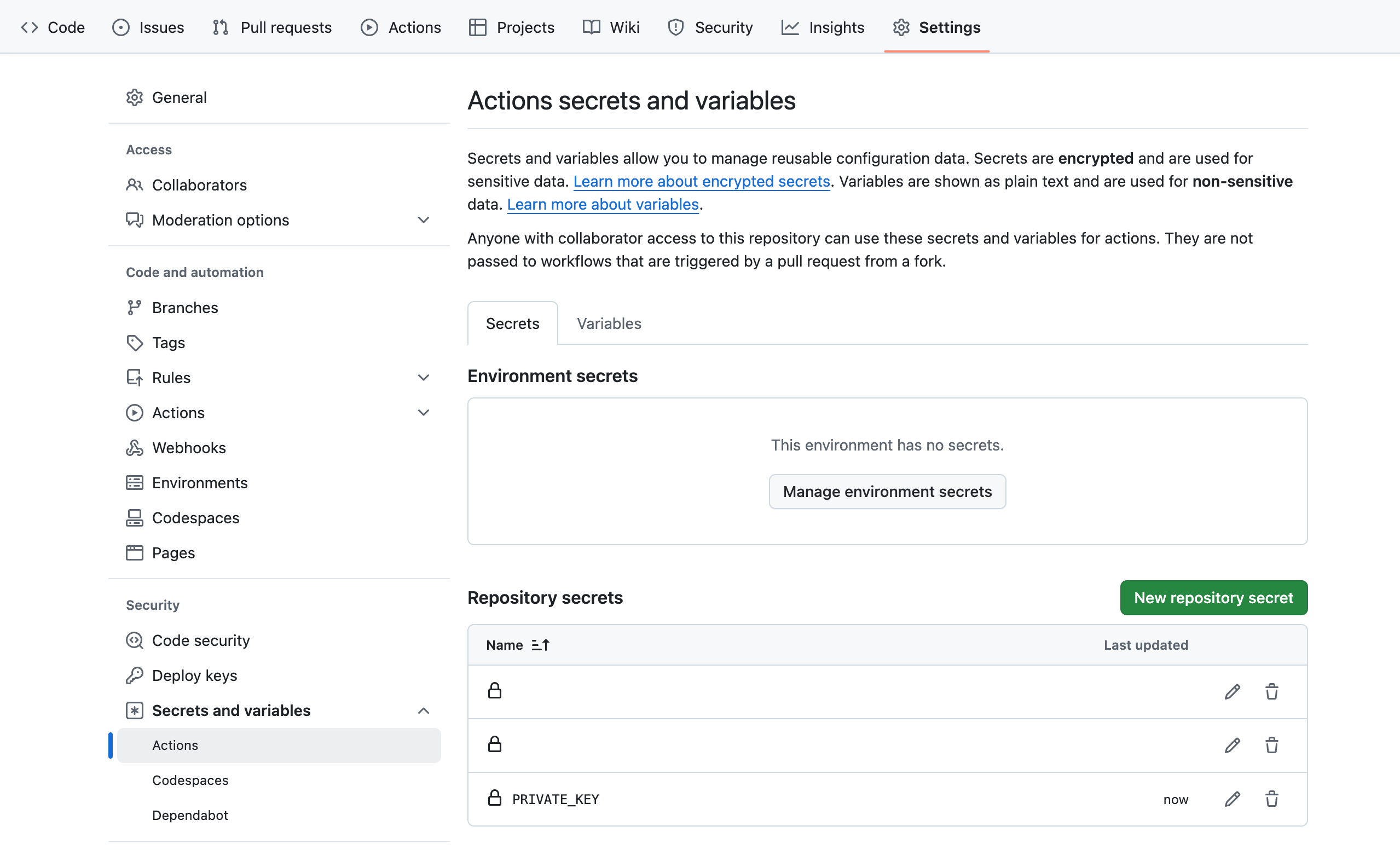
You need add private key, gh-pages to working repo secrects under repo setting > Secrets and variables > Actions. Then press “New reporitory secret”. Give it a title.
You need add public key to github.io repo to under repo setting > Deploy keys. Then press add deploy key. Give it a title and paste the gh-pages.pub. check Allow write access.
- name: Publish docs
    if: ${{ github.event_name == 'push' && github.ref == 'refs/heads/master' && matrix.python-version == '3.12' }}
    uses: peaceiris/actions-gh-pages@bbdfb200618d235585ad98e965f4aafc39b4c501  # v3.7.3
    with:
      deploy_key: ${{ secrets.PRIVATE_KEY}}
      publish_branch: BRANCH_NAME
      publish_dir: ./docs/build/html
      external_repository: USER_NAME/USER_NAME.github.io
      destination_dir: ${{ env.REPOSITORY_NAME }}
      keep_files: true  # Keep old files.
      force_orphan: false  # Keep git history.
You need make sure secrets.PRIVATE_KEY match the private key name in your github docs repo setting under repo setting > Secrets and variables > Actions
You need make sure the publish_branch name match the name of branch in the setting of documentation repo which is in Setting, Pages, Build and deployment > Branch

ssh-keygen Manual
https://man.openbsd.org/ssh-keygen.1
How to orgnaize github actions github pages
https://github.com/peaceiris/actions-gh-pages
shell: bash -l {0}
syntax
https://docs.github.com/en/actions/using-workflows/workflow-syntax-for-github-actions
How to disable actions to save minutes
https://docs.github.com/en/actions/managing-workflow-runs/disabling-and-enabling-a-workflow